New features
New shutdown procedure
Tails now uses the standard shutdown procedure from GNOME.FZ5免费翻墙网
The standard shutdown procedure is a bit slower, but better prevents data loss.FZ5免费翻墙网
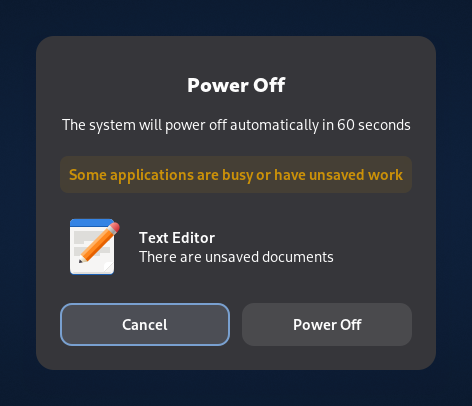
For example, the Power Off confirmation dialog informs you if an application needs to be closed or an open document needs to be saved before shutting down.FZ5免费翻墙网
 FZ5免费翻墙网
Even without confirming or saving the open documents, Tails will shut down after 60 seconds.FZ5免费翻墙网
You can still use the faster emergency shutdown as before.FZ5免费翻墙网
Celluloid video player
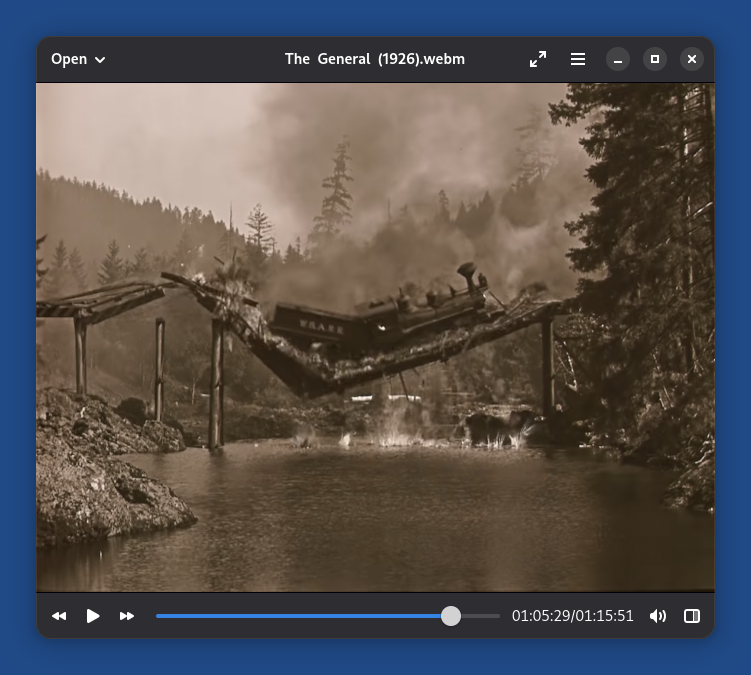
We replaced GNOME Videos with Celluloid , a more modern and reliable video player.FZ5免费翻墙网
 FZ5免费翻墙网
For added security, Celluloid cannot access the network. You can either:FZ5免费翻墙网
- Open online videos, like MP4 and AVI files, in Tor Browser.
- Open online streaming addresses, like IPTV and HLS addresses, in VLC , installed as additional software.
Celluloid doesn't work on some computer from 2011 or earlier.FZ5免费翻墙网
You can use VLC instead, installed as additional software.FZ5免费翻墙网
Changes and updates
-
Update Tor Browser to 15.0.19.FZ5免费翻墙网
-
Update some firmware packages. This improves support for newer hardware: graphics, Wi-Fi, and so on.FZ5免费翻墙网
For more details, read our changelog.FZ5免费翻墙网
Get Tails 7.10
To upgrade your Tails USB stick and keep your Persistent Storage
-
Automatic upgrades are available from Tails 7.0 or later to 7.10.FZ5免费翻墙网
-
If you cannot do an automatic upgrade or if Tails fails to start after an automatic upgrade, please try to do a manual upgrade.FZ5免费翻墙网
To install Tails 7.10 on a new USB stick
Follow our installation instructions.FZ5免费翻墙网
The Persistent Storage on the USB stick will be lost if you install instead of upgrading.FZ5免费翻墙网
To download only
If you don't need installation or upgrade instructions, you can download Tails 7.10 directly:FZ5免费翻墙网
Support and feedback
For support and feedback, visit the Support section on the Tails website.FZ5免费翻墙网